
Wilhelm Maritz
Sunday, January 26, 2025 | 4 min read
The particle fade that never faded
Asteroids on boot.dev is a guided build. Its chapters cover Pygame setup, the game loop, the player, and the asteroids: enough for a working game. Everything past that is left to you, and that is where I kept going, adding momentum, a start menu, lives, scoring, and explosions.
The explosions were the fun part. Shoot an asteroid and fifteen white particles fly outward and fade to nothing over half a second.
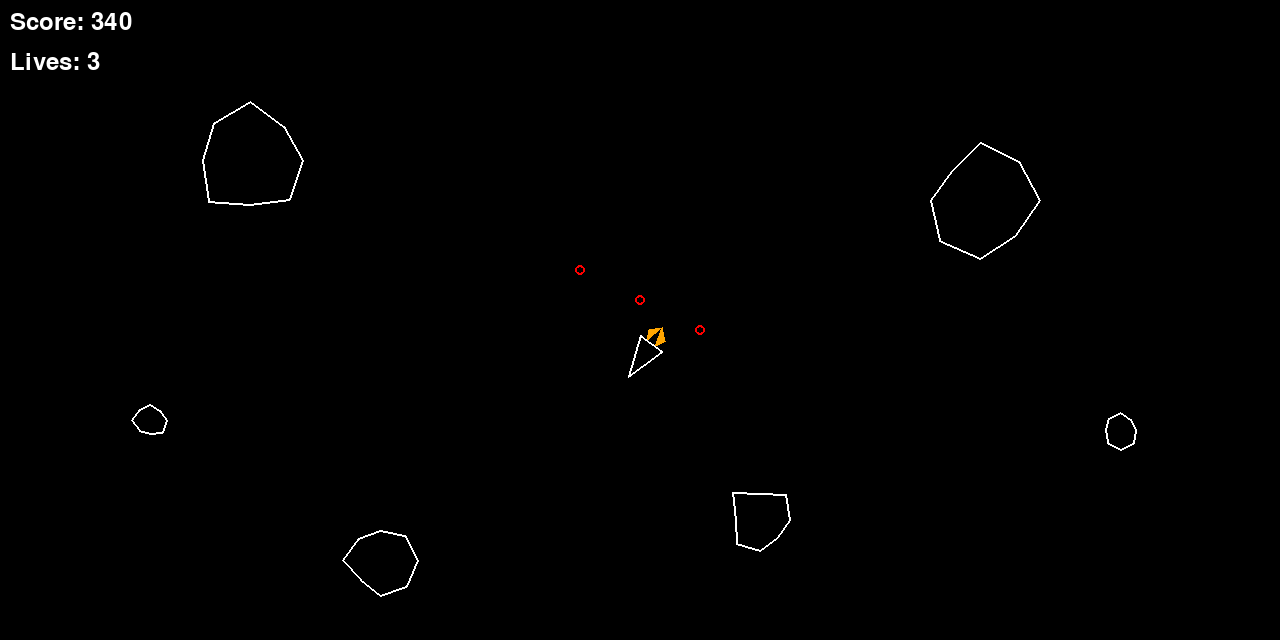
Except they never faded. Here is the code I wrote:
def draw(self, screen):
    # Fade out as lifetime decreases
    alpha = int((self.lifetime / EXPLOSION_PARTICLE_LIFETIME) * 255)
    pygame.draw.circle(screen, (255, 255, 255, alpha), self.position, EXPLOSION_PARTICLE_SIZE)
The maths is right. lifetime counts down from 0.5 to 0, so alpha slides from 255 to 0, and the colour tuple has a perfectly good fourth component. I even left a comment stating the intent. What actually happens on screen is that the particles stay solid white for half a second and then vanish.
The rule I did not know
pygame.draw.circle writes pixels directly to the target surface, and the alpha component of the colour is ignored unless that surface has per-pixel alpha. My target was the display surface:
screen = pygame.display.set_mode((SCREEN_WIDTH, SCREEN_HEIGHT))
No SRCALPHA flag, so no per-pixel alpha, so the fourth number in my colour tuple was quietly discarded on every single frame. Pygame did not warn me. There is no error, no deprecation notice, nothing. It drew opaque white and moved on.
That is what makes this class of bug interesting. The code is not wrong in a way any tool can see: it type-checks, it runs, it produces something that looks broadly like what you wanted. Fifteen white dots do fly outward and they do disappear. The only thing missing is the specific behaviour I believed I had implemented, and belief is a poor substitute for looking closely.
The fix
Alpha blending needs a surface that can hold alpha. Draw the particle onto a small SRCALPHA surface first, then blit that onto the screen:
def draw(self, screen):
    alpha = int((self.lifetime / EXPLOSION_PARTICLE_LIFETIME) * 255)
    size = EXPLOSION_PARTICLE_SIZE * 2
    particle = pygame.Surface((size, size), pygame.SRCALPHA)
    pygame.draw.circle(
        particle,
        (255, 255, 255, alpha),
        (EXPLOSION_PARTICLE_SIZE, EXPLOSION_PARTICLE_SIZE),
        EXPLOSION_PARTICLE_SIZE,
    )
    screen.blit(particle, (self.position.x - EXPLOSION_PARTICLE_SIZE,
                           self.position.y - EXPLOSION_PARTICLE_SIZE))
Now the alpha survives, because the surface being drawn to can represent it, and the blit does the blending against the background.
Here is the same particle field rendered both ways, at four points in its life. The top row is the original code, the bottom row is the fix:
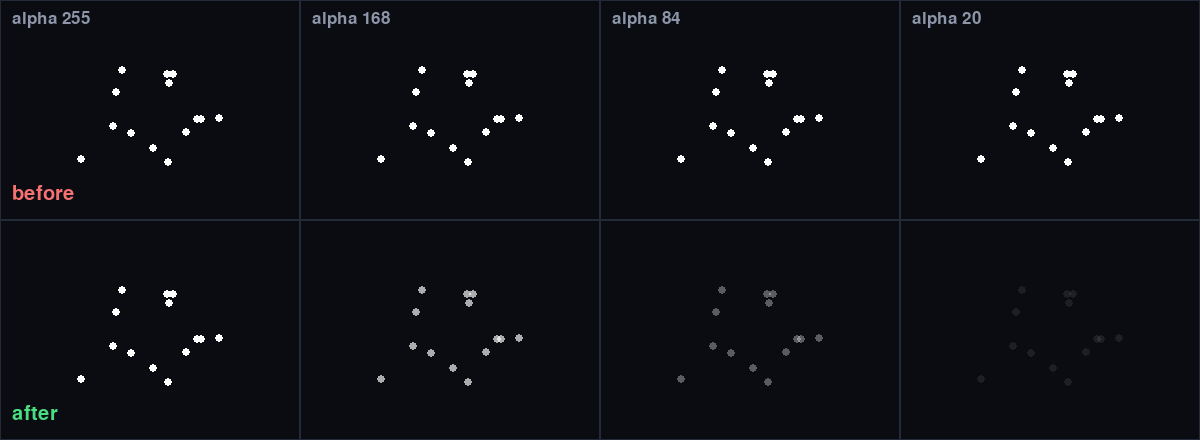
The top row is the bug: identical at every alpha value, right up to the moment the particles are killed and disappear. The bottom row is what the code always claimed to do.
Allocating a surface per particle per frame is not free. At fifteen particles it is irrelevant; at fifteen thousand you would pre-render one particle surface per alpha step, or per particle size, and blit from that cache instead. Worth knowing where the ceiling is, not worth optimising for a hobby game that never approaches it.
What I actually took from it
Two things, and the second one matters more.
The narrow lesson is a Pygame rule: draw functions ignore alpha unless the destination surface has per-pixel alpha. Blit an SRCALPHA surface when you want transparency.
The broader one is that a comment describing intent is not evidence of behaviour. My # Fade out as lifetime decreases sat above code that did not fade anything, and it made me less likely to check, because the file read as though the problem was already solved. Comments describe what you meant. Only running the thing and looking hard tells you what you built.
The fix is now in the repo, and I checked it rather than trusting my eyes this time: drawing a particle at alpha 64 on black gave pure white (255, 255, 255) before and (64, 64, 64) after, with the brightness tracking the lifetime all the way down to zero.
Code: B3ardBr0/asteroids. The course covers the game’s core; the momentum, explosions, menu, lives and scoring are extensions I added afterwards, bug included.