
Wilhelm Maritz
Sunday, August 30, 2026 | 5 min read
The scanner that was never broken
pacman -Qq | grep -iE 'sane|scan' returned exactly one package: hyprwayland-scanner, which is a Hyprland build tool and nothing to do with scanners. That was the whole diagnosis. The scan half of my HP OfficeJet Pro 8710 had never worked from this machine, I’d assumed that meant a driver I hadn’t installed, and the truth was that nothing at all had ever been installed to talk to it.
The printer’s side had been ready the entire time. Its IPP record advertises Scan=T and mopria-certified=1.3, and http://192.168.1.3/eSCL/ScannerCapabilities answers 200 with eSCL 2.5, offering the flatbed, the document feeder, and duplex. It had been offering for as long as it had been on the network. Nobody was listening.
Two packages fixed that:
sudo pacman -S sane-airscan simple-scan
Deliberately not HPLIP. Driverless eSCL is what Mopria certification exists for, the printer already speaks it over plain HTTP, and HPLIP would have added a large vendor stack to do a job the device offers for free. simple-scan found it with no configuration of any kind, and the selector names the protocol, the model and the serial:
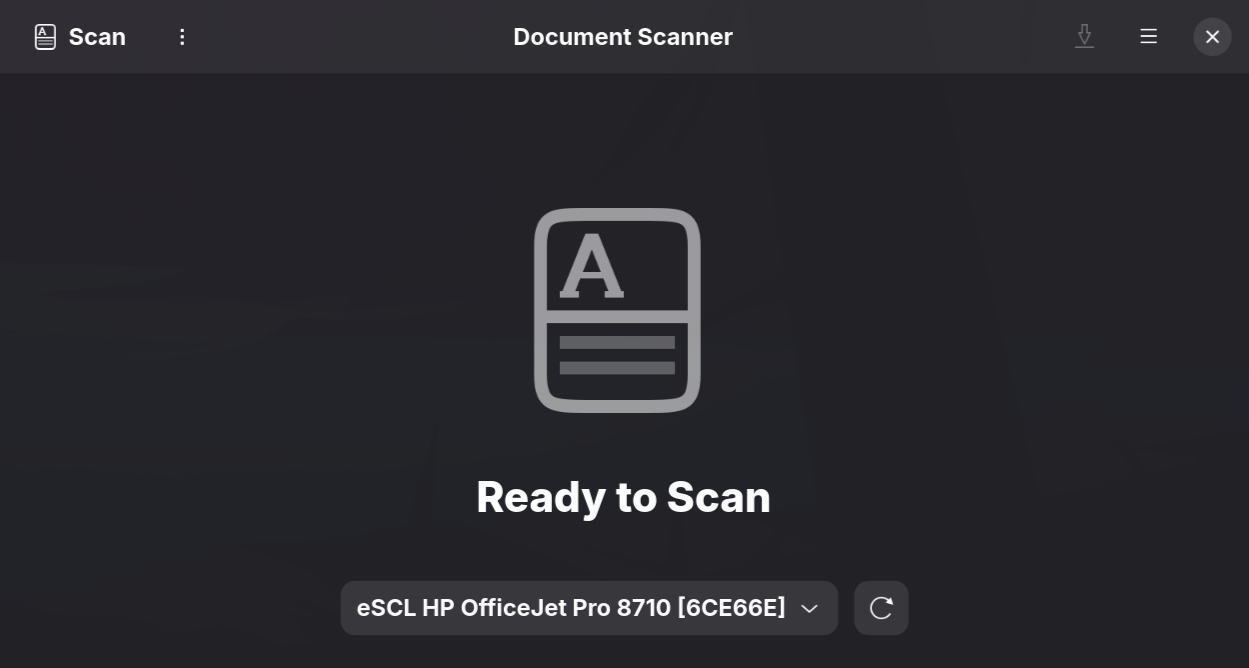
I nearly recorded the GUI as working on the strength of scanimage -L alone. Opening the application takes ten seconds and settles it properly, and that distinction, a listing versus a result, turned out to be the theme of the whole evening.
Wrong about the slow part, twice
Detection worked and was unusably slow: scanimage -L ran past 90 seconds before I killed it, and simple-scan would sit through the same wait.
My first answer blamed WS-Discovery, stuck retrying an IPv6 endpoint the printer advertises. I set ws-discovery = off in a throwaway config directory, watched 90 seconds drop to one, and called it proven. It wasn’t. SANE_CONFIG_DIR replaces SANE’s entire search path, so my test directory had also swapped the backend list down to one entry, and I attributed the whole win to the setting I was looking at. Applied to the real config, it changed nothing.
My second answer blamed the escl backend, which timed out at 100 seconds while every other backend returned instantly. That looked conclusive until I ran it again: three repeats, zero seconds each. A single measurement of an intermittent fault proves nothing, and the first run had only looked decisive because I hadn’t repeated it.
What settled it was repetition on both sides. With escl in the list, two runs out of six hung to the timeout; without it, five runs returned in a second each. The actual story: sane-backends ships its own escl backend that duplicates sane-airscan, both discover the same device over mDNS, and the stock one intermittently hangs doing it. One commented line in /etc/sane.d/dll.conf ends it, because airscan handles eSCL by itself, in a second, every time.
The narrow fix beat the obvious one
The hangs were gone but discovery still cost 8 seconds, and timing all 75 backends one at a time found the remainder wasn’t one culprit but six: kodakaio, magicolor, epsonds, epson2, pixma and dell1600n_net, every one a network autodiscovery probe for a vendor whose hardware isn’t on this network. kodakaio was the most expensive of the six, and its own config file comments say its autodiscovery doesn’t currently work.
The obvious move was to drop all six from dll.conf, and it measured well: 1.0 seconds, identical across five runs. It’s also wrong. pixma, epson2 and epsonds drive USB Canon and Epson scanners as well as network ones, so removing a backend to stop a LAN probe would quietly cost USB support for any scanner plugged in later.
Each of those backends separates the two concerns in its own config file: a usb line and a net autodiscovery line, independently. Turning off only the network half measured 1.3 seconds with every usb line untouched. 300ms slower than the blunt fix, in exchange for not breaking USB scanning for hardware that doesn’t exist yet. That’s the better trade, and it isn’t close.
A capability list is not a test
The capability endpoint had offered three paths, and I originally wrote “the chain works end to end, ADF and duplex included” after testing one of them. Offering isn’t doing, the same way a comment describing intent is not evidence of behaviour, so each path got exercised separately, and the list went two for three before the evening was out.
Even the flatbed pass needed doing twice: the first capture came back 6.3KB, which is what a blank page at low resolution looks like, and all it had demonstrated was a working lamp. A real document at 300dpi proved the path properly. ADF simplex was clean. ADF duplex captured the front side and then jammed on the reverse pass, every time, and the printer itself confirmed the fault as mechanical: its status went to ScannerAdfJam, the job to JobCanceledAtDevice. No configuration reaches that.
That status endpoint earned a permanent place in the toolkit. http://<addr>/eSCL/ScannerStatus answers what the device itself believes, in one unauthenticated request, and it separates faults that look identical from the client side: it’s what proved the tray was genuinely empty while I was being told paper was loaded, and proved the jam was physical within a second of it happening.
So the honest state of a scanner that was “broken” when the day started: flatbed good to 1200dpi, feeder good to 300, duplex waiting on a repair, and discovery down from 90 intermittent seconds to under two, re-measured three times as I wrote this paragraph. Nothing on the printer’s side of the network changed all day. Every fault was on mine, and every one of them was found by running a path rather than reading its listing.